

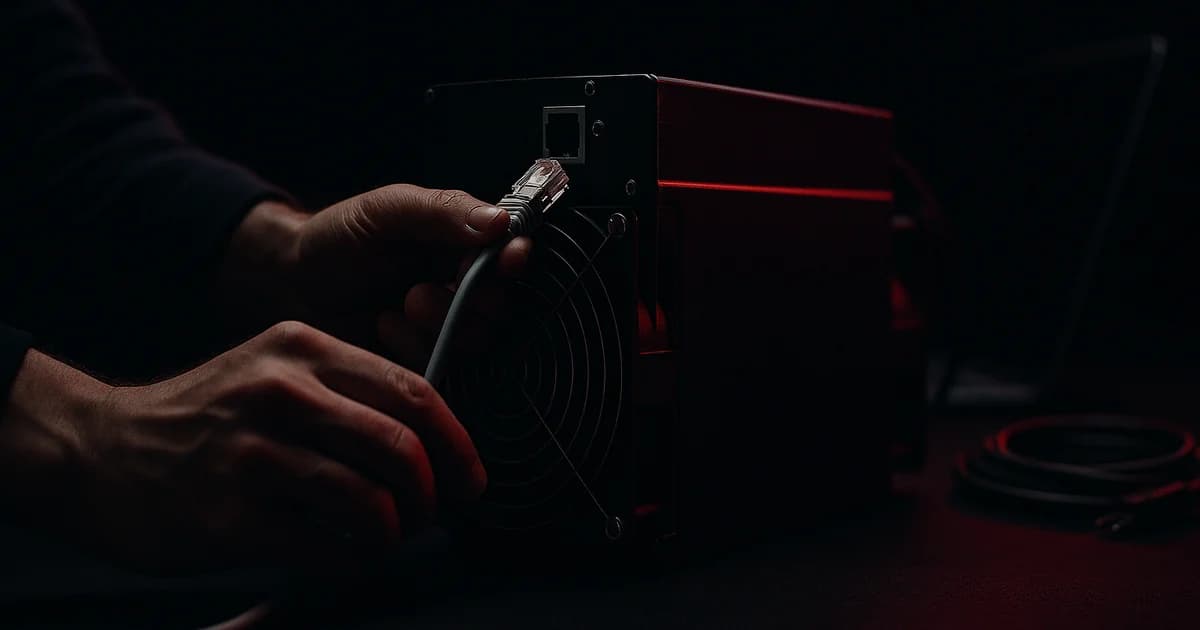
Your first earnings appear within about an hour. Your first payout might be three months away. Almost every "I set up my miner and got nothing" post online is that gap, not a fault — and it is decided by a threshold you accepted at signup without reading.
This is the whole procedure, from unboxing to money arriving, with the exact ports, default credentials and error codes. It differs between Bitmain and MicroBT, so both are covered. Verified 3 September 2026 against manufacturer documentation.
Before you power anything on
Three things that damage machines in the first ten minutes.
Voltage. A modern Antminer wants 220–277 V and a supply that can deliver 4,000 W. On 110–120 V an APW3-class PSU delivers only 1,200 W instead of 1,600 W, and the machine either won't start or will trip the breaker. A real report from someone learning this the hard way: "It tripped directly on the North American standard 15A circuit and had to be changed to a 240V circuit."
Orientation. Bitmain's own guide is blunt: mount it vertically, because "placing it horizontally will increase the failure rate." Earthed socket. Never plug or unplug while powered.
Altitude and heat. Above 900 m, the maximum operating temperature drops 1 °C per 300 m, with a hard ceiling around 2,000 m. Operating range is 0–45 °C at 10–90% non-condensing humidity. If you are in Denver or the Alps, that derating is real.
One more, before you size your circuit: measured wall draw has been reported 180–250 W above what the miner's own UI reports. Size the circuit from a plug-in meter, not the dashboard. Our UK and EU power guide covers circuits and connectors properly.
Step 1: find the miner on your network
Both families ship with DHCP on. The problem is finding which address they took.
| Bitmain (Antminer S21 class) | MicroBT (WhatsMiner M6x/M7x) | |
|---|---|---|
| Tool | IPReporter.zip from Bitmain's service site | WhatsMinerTool |
| Procedure | Run as Administrator, click Start, then hold the IP Report button on the control panel ~5 s until it beeps | Long-press "IP Found" on the control board; two LEDs flash to confirm. In the tool: IP Monitor → Start |
| Default login | root / root | password admin |
| Fallback | Your router's DHCP lease table or ARP list. Some S21+ units show the IP on the front display. | |
The Bitmain tool is Windows-only. On the MicroBT side you can also scan a range — Miner IP → Start IP / End IP → Add — or import a text file with one address per line.
Change the password immediately. On Bitmain that is System → Password. On MicroBT it matters more than people realise: the API will not function until the default is changed, and the account model is tiered — super has full rights, while user1–3 sit at LEVEL_0 to LEVEL_2, where LEVEL_0 can only monitor, change passwords and update firmware.
Step 2: pool configuration, with real endpoints
| Pool | Primary stratum | Failover | Username format |
|---|---|---|---|
| Braiins | stratum+tcp://stratum.braiins.com:3333 | :443 | username.worker |
| F2Pool | stratum+tcp://btc.f2pool.com:3333 | 25, 1314; SSL btcssl.f2pool.com:1300 | account.worker |
| ViaBTC | stratum+tcp://btc.viabtc.io:3333 | :443; EU btc.powhashing.com:3333 | subaccount.worker |
| Luxor | stratum+tcp://btc.global.luxor.tech:700 | Global anycast | Subaccount.Worker, password 123 |
| Ocean | mine.ocean.xyz:3334 | — | your BTC address.worker |
Address versus account — this is where shares vanish. Ocean uses your Bitcoin address as the username and does not validate it; their documentation states plainly that any shares submitted with an invalid username are lost. Braiins, F2Pool, ViaBTC and Luxor use an account or sub-account that must exist before you point hashrate at it. If you see hashrate locally but zero accepted shares, it is almost always this, not hardware.
Passwords are ignored almost everywhere — Braiins accepts "anything or empty", Ocean suggests x.
Fill in all three pool slots. Bitmain's firmware works down the list: pools with lower priority are used only if every higher one is offline. The convention is your pool as primary, its own failover port as secondary, and a different pool third — so a single pool outage doesn't idle the machine.
The worker name is only a label for identifying that machine in pool statistics. One caveat: on Ocean, rewards are calculated per user rather than per worker and worker-level splits are only accurate to about a satoshi, so don't do per-machine accounting there.
Step 3: understand what you will actually be paid
Four schemes, and the difference is who carries the luck.
- PPS — a flat payment per share, block subsidy only. The pool absorbs variance.
- FPPS — PPS plus a transaction-fee component based on network-average fees. Braiins recalculates as though 144 blocks were mined that day, so your income tracks difficulty rather than the pool's luck.
- PPS+ — subsidy paid as PPS, actual transaction fees distributed PPLNS-style.
- PPLNS — you are paid only from blocks the pool actually finds. Higher variance, no risk premium deducted.
| Pool | Scheme | Fee | Minimum payout | Timing |
|---|---|---|---|---|
| Braiins | FPPS | 2.5% | 0.0002 BTC (free above 0.005) | Daily, 09:00 UTC |
| F2Pool | FPPS / PPLNS | 4% / 2% | 0.005 BTC default, adjustable | Daily, 00:00–12:00 UTC |
| ViaBTC | PPS+ / PPLNS | — | — | Daily |
| Luxor | FPPS | 2.5% discount to FPPS | 0.001 BTC | Daily |
| Ocean | TIDES | — | 0.01048576 BTC on-chain | In the coinbase, non-custodial |
Now the answer to the question everyone actually has. A 200 Th/s machine at roughly 60 sats/TH/day grosses about 12,000 sats a day after fees. Against those thresholds:
- Braiins — hits the 0.0002 BTC minimum in about 2 days, but charges 0.0001 BTC unless you wait for 0.005 BTC, which is roughly 6 weeks. Lightning pays out from 1 satoshi, free, same day.
- Luxor — about 8–9 days.
- F2Pool — about 6 weeks at the default threshold. Lower it if that matters.
- Ocean — roughly 3 months on-chain, plus a ramp-up period, unless you use Lightning.
None of that is a fault. It is a threshold you chose. If you want to see money quickly, lower the minimum or enable Lightning before you start.
Step 4: firmware, and whether it is worth it
Stock firmware runs one voltage and frequency profile across every chip. Third-party firmware such as Braiins OS+ tunes each chip individually, so strong chips clock higher and weak ones back off.
Vendor and reseller figures put Braiins OS+ at a 2–2.5% development fee, with an S21 Pro moving from roughly 15.0 to 13.2 J/TH and 234 to 265 Th/s. Treat those as vendor-claimed — we could not find independent measurement. What is documented is the licensing mechanism: the licence is fetched over port 3336, renewed hourly, and valid 12 hours offline. If it cannot be obtained, mining continues but with a hashrate penalty. Worth knowing before you firewall the machine.
The real costs are warranty and risk. Bitmain's warranty runs 365 days from shipping, original purchaser only, and is void if you "change the function settings of the unit without BITMAIN's prior consent" — which is exactly what custom firmware is. Bricking is rare but Bitmain warns that a power cut mid-upgrade means returning the unit for repair. On a machine still under warranty, wait.
Step 5: what to watch, and the numbers that mean act now
| Metric | Healthy | Act when |
|---|---|---|
| Chip temperature | 60–75 °C | Above 85 °C — board will halt |
| Reject rate | Under 0.5% | Above 3%; 1–3% investigate network |
| Hashrate vs nameplate | Within ~3–5% | Sustained shortfall, or one chain low |
| Pool vs local hashrate | Pool reads slightly lower | Only if the gap keeps widening |
Two things people misread. Pool-side hashrate is meant to sit a little below local — 110 Th/s local against 107.3 Th/s at the pool is normal. And give it up to an hour before judging; Braiins says so explicitly, Luxor shows workers in about five minutes.
Use wired ethernet, not Wi-Fi, and keep ping under 100 ms. A 3% reject rate on the same continent as your pool is a network fault, not bad luck.
Error codes worth memorising
Bitmain's codes are more diagnostic than they look, and one pattern saves a lot of wasted time.
P:1— high-temperature protection. Check ambient, check the thermal gel on the hashboard.V:1–V:4— power initialisation, calibration, out-of-spec or voltage error. Replace the PSU or check the output wiring.R1:1–R8:1— chain broken or low hashrate on that board.J1:1–J8:1— bad ASIC on a chain.J:8means fewer hashboards detected than the design.F1:1–F8:1— fan missing or running slow.N:4— network lost.
The pattern: failing power presents as both V:* codes and J*:1 "bad ASIC" errors. Bitmain's own remedy for J-codes is to replace the power supply. Before you write off a hashboard, replace the PSU.
Two more that quietly cost money: dirty filters — Bitmain notes airflow drops when the machine is dusty, so clean monthly against a 380 CFM design — and bad terminations. As one operator put it, avoid two cables in one terminal, because poor connections add resistance, resistance becomes heat, and heat overloads the PSU. Use bare wire or ferrules, not fork or ring connectors.
Or skip all of it
Setup, firmware, cooling, filters and network are what a hosting contract removes. Buy the machine outright, we rack and run it from $0.0072/kWh, and it mines to your own pool account and wallet.
Read next: the best ASIC miner for beginners, how to choose a mining pool, or how long ASIC miners last. Procedures from the Bitmain S21 User Guide V1.2.5 and MicroBT WhatsMinerTool documentation; stratum endpoints, fees and thresholds from Braiins, F2Pool, ViaBTC, Luxor and Ocean documentation; temperature and reject-rate thresholds from operator guidance; firmware licensing from Braiins' own FAQ — all observed 3 September 2026. Fees and thresholds change; check the pool's own page before you commit hashrate.