

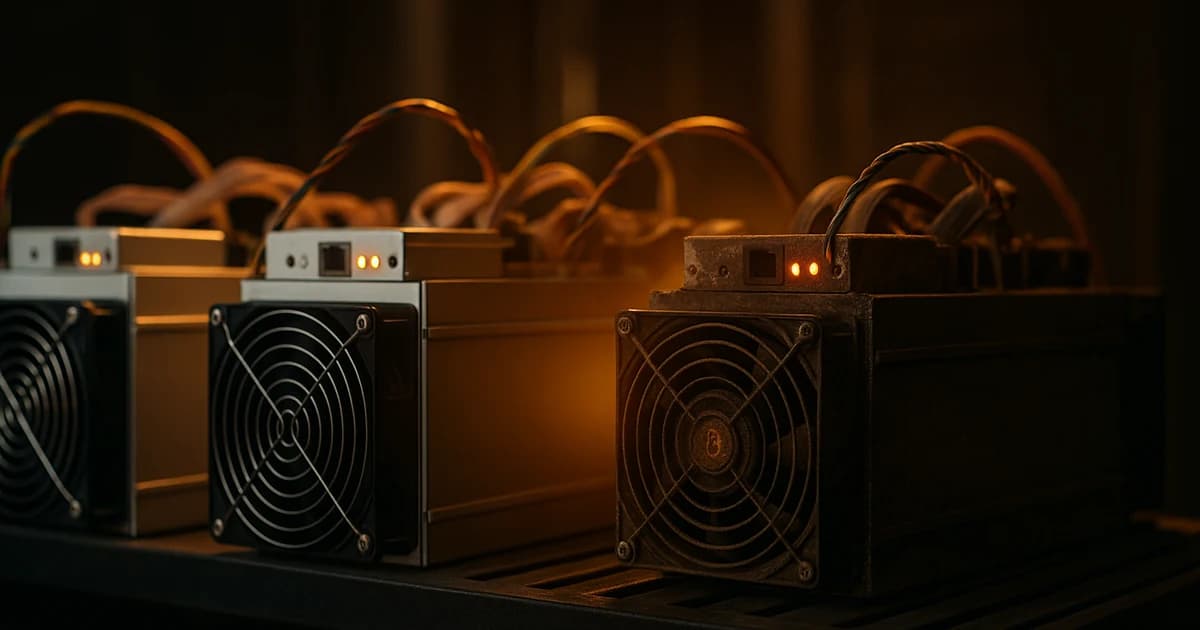
Ask ten operators how long an ASIC lasts and you will get ten different answers, all of them "it depends". The honest short answer is this: a modern ASIC will usually hash for five to seven years or more if you look after it, but it will stop making money long before it stops working. This guide is about both of those numbers and how to push them further apart.
Written for owners deciding whether to keep, sell, repair, or replace — and for buyers deciding what to spend on. If you are still shopping for a first miner, read our 2026 hardware guide first and come back to this one.
The two lifespans that matter
Every ASIC has two clocks running against it.
Physical lifespan is how long the hardware can boot and hash without a repair truck showing up. Well-maintained modern units routinely run five, six, sometimes seven-plus years. The 2016-era Antminer S9 is the reference case: at least ten years in service, still hashing at heat-recycling sites and behind flare-gas power in 2026.
Economic lifespan is how long the machine earns more than it costs to run. That number is set by network difficulty, hashprice, and your electricity rate — not by the hardware. It is usually much shorter than the physical clock. A flagship gets two to four years before newer chips make it uneconomic; an efficiency-tier survivor may stretch to six.
Everything else in this guide is about pushing the physical clock out and stretching the economic clock as long as possible.
Historical case studies, real numbers
Four generations that tell the story of how modern ASICs actually age.
Antminer S9 (2016, 95 J/TH). Ten years old and some are still deployed. Uneconomic at any grid tariff we would sell — losing roughly $1.76/day at retail power in mid-2026 — but viable on flare gas, behind curtailed solar, or as a resistive heater. Historical proof that a Bitmain ASIC that never got hot can run essentially forever.
Antminer S17 series (2019). The counter-example. Bitmain used tin solder between heatsinks and chips; normal thermal cycling caused the heatsinks to peel off, the chips to burn, and hashboards to die in cascades. Industry consensus is that a very large share of the roughly one million S17/T17 units shipped were dead inside 18–24 months. The lesson is not "avoid Bitmain" — it is that manufacturing choices matter more than nameplate specs.
Antminer S19 and S19 Pro (2020, 34.5 and 29.5 J/TH). The workhorses. Six years in and still profitable at sub-$0.06/kWh industrial power. Refurbished S19j Pro units trade at around $14 per TH; the S19 XP at around $34 per TH. The S19 family is the reference for "buy right, operate right, ride it long".
Antminer S19 XP (2022, 21.5 J/TH). Still competitive on the profitability page today. Its economic clock probably runs out around the 2028 halving unless power is sub-$0.04/kWh. That is a six-year working life, which is the ceiling for a flagship Bitcoin miner in most conditions.
WhatsMiner M30S / M30S+ / M30S++ (2020). Reliability sweet spot. Field data cited by repair shops points to hashboard replacement rates of a couple of percent per year — good numbers for a five-year-old machine.
What actually breaks first
Failures cluster into four buckets. The rough industry split, drawing on repair-shop write-ups from D-Central, Kaboomracks and ZEUS Mining Repair:
| Failure mode | Share of dead units | Typical cause |
|---|---|---|
| Hashboard chip / VRM failure | 30–40% | Thermal cycling cracks solder, VRM converters blow, individual ASIC chips fail short. |
| PSU failure | 25–35% | Fan bearings, capacitor bulge, connector burn, voltage drift beyond ±5%. |
| Fan failure | 15–25% | Bearings dry out, dust unbalances blades, a single fan-out cascades thermally within minutes. |
| Control board / firmware EEPROM | 5–10% | Corruption from bad flashes or brownouts, more common on older-generation control boards. |
| Environmental (corrosion, water) | 2–5% | Humidity, condensation, dust bridging traces on unfiltered sites. |
Practical implication: if you keep the hashboards cool, the PSU clean, and the fans spinning at spec, you have eliminated the causes behind 80% of premature deaths.
The three levers that shorten lifespan
Heat. Every 10 °C increase in junction temperature roughly doubles the rate at which the silicon degrades — an ASIC chip running at 85 °C ages about four times faster than one at 65 °C. Above 85 °C you are visibly cutting the machine's life in half. This is where operators sink or swim.
Voltage and overclock. Pushing frequency and voltage accelerates electromigration exponentially. A 10% overclock is not "10% more wear" — it can be 3–5× the wear over the life of the chip. Braiins OS+ and LuxOS defaults are conservative for a reason.
Dust, humidity and thermal cycles. Dust chokes airflow, humidity corrodes solder joints, and every cold-boot thermal cycle stresses BGA joints. A machine that runs continuously at 60 °C is happier than one that swings from 25 to 75 twice a day.
The three levers that extend lifespan
Clean intake air under 30 °C. Dust filters on the intake, quarterly compressed-air blowout, and a room that is properly aired. Target hashboard PCB temperature under 70 °C, junction under 85 °C.
Stable 208–240 V input, quality PSU, no brownouts. A cheap PSU with a hot capacitor is the single most common preventable failure. Add surge protection to the control board and — where uptime matters — a small UPS.
Undervolt if efficiency matters more than raw hashrate. Almost every serious operation runs slightly below the stock frequency in exchange for better J/TH and a longer chip life. Manufacturer firmware supports this on all current-gen units.
Immersion and hydro cooling do most of the above for you — chip temperatures drop 20–30 °C, dust exposure goes to zero, thermal cycles flatten. Operators consistently report roughly double the hashboard life on immersed units. That is anecdotal but not disputed; if you already run immersion, this section is largely already handled.
Economic obsolescence — the maths you actually need
A machine dies economically when its J/TH is too high for the current hashprice. The break-even formula is one line:
Break-even electricity price = hashprice ($/PH/day) ÷ (efficiency in J/TH × 24)
At mid-2026 hashprice around $29/PH/day, that gives break-evens like:
| Miner | Efficiency | Break-even $/kWh | Still profitable at $0.05/kWh? |
|---|---|---|---|
| Antminer S9 | 95 J/TH | $0.013 | No |
| Antminer S19 | 34.5 J/TH | $0.035 | Marginal |
| Antminer S19 Pro | 29.5 J/TH | $0.041 | Marginal |
| Antminer S19 XP | 21.5 J/TH | $0.056 | Yes |
| Antminer S21 | 17.5 J/TH | $0.069 | Yes |
| Antminer S21 Pro | 15 J/TH | $0.081 | Yes |
| Antminer S21 XP | 13.5 J/TH | $0.088 | Yes |
| Antminer S23 Hyd | 9.5 J/TH | $0.124 | Yes |
Rule of thumb for 2026: anything under 15 J/TH is comfortably competitive, anything over 20 J/TH is losing money at retail power. The full ordered list lives on the profitability ranking, recalculated live against every hosting region.
Warranty realities
Warranty length is usually shorter than people think. The baseline coverage in 2026:
- Bitmain — 180 days from dispatch as standard; the S19 and S21 series carry 365 days on new units. A ticket has to be opened before the expiry date, not just an intent to claim.
- MicroBT WhatsMiner — 180 days standard, extendable at time of purchase.
- Auradine Teraflux — 12 months on shipped units; up to seven years on the hosted service tier.
- iBeLink — 180 days on most Kaspa and Litecoin SKUs, longer on select models.
- Secondhand — no manufacturer warranty, ever. Reputable resellers give a 30–90 day DOA policy, and that is it.
All manufacturer warranties are voided by custom firmware (Braiins OS+, LuxOS, VNish), by disassembly, and by purchase from non-authorised resellers. If you want warranty cover intact, run stock firmware and buy from an authorised distributor.
Repair or replace
Repair shops are cheaper than most people expect. Indicative 2026 prices:
- S19-class hashboard repair: $45–$129 per board
- S21 / T21 hashboard repair: around $199 per board
- S21 Pro / XP / Hydro hashboard repair: $199–$350
- PSU replacement (APW9, APW12): $150–$250
- Fan replacement: $15–$40
The decision rule is straightforward. Stop repairing when either (a) cumulative repairs are exceeding twelve months of expected forward net revenue at current hashprice, or (b) the machine is already worse than 20 J/TH and you cannot justify the ongoing power bill against a fresh S21-class or S23-class unit.
Small operators without a bench should send failed hashboards out — D-Central in Canada, ZEUS Mining Repair, antminer-repair.com in the US. Larger sites eventually train a technician and buy a chip-swap station, and repair pays for itself.
Buying secondhand in 2026
The used market has actual signals now.
- Refurbished S19j Pro trades around $14/TH.
- Refurbished S19 XP around $34/TH.
- S19 units generally trade at 15–35% of their original list price depending on condition.
Before you pay for a used unit, do a 24-hour hashrate stability run at the seller's site — screen-share the pool dashboard if you have to. Verify the chip count on all hashboards, check the PSU manufacture date sticker (PSUs from 2019–2020 are near end of life), note the control board revision, and look for burn or corrosion on connectors and Ethernet. A steady 5–10% drop from nameplate hashrate is normal aging; a 20%+ drop points to a specific failure and knocks meaningful value off the fair price.
Five practices that maximise the life of a new miner
- Keep intake air under 30 °C. Target hashboard PCB under 70 °C and junction under 85 °C. If you can't hold those numbers in summer, add a fan or move the room.
- Undervolt via manufacturer firmware if J/TH matters more than raw TH. Almost every fleet does this quietly.
- Use a quality PSU on stable 220–240 V. Add surge protection on the control board and a small UPS if uptime matters.
- Quarterly dust blowout. Once a year, pop the shroud and inspect thermal paste and heatsink attachment.
- Firmware from the manufacturer only while the warranty is live. Custom firmware after that, if you know what you are doing.
Should I hold, repair, or sell?
A short decision tree for a machine that is starting to feel old:
- If its J/TH is below your regional break-even at your power price, keep running it, budget for repairs, and revisit in six months.
- If it is one repair away from break-even and the repair is under 3–6 months of forward revenue, repair it.
- If it is worse than 20 J/TH and needs a hashboard, sell it or move it to flare-gas / curtailed-solar power. Do not throw good money after bad.
- If you cannot host it economically and can't sell it, retire it to a heat-recovery role or donate to a maker space. Genuinely.
FAQ
How long does an ASIC miner really last?
Physically, five to seven years or more if it is looked after — cool intake air, stable power, quality PSU. Economically, two to four years for a flagship Bitcoin miner and four to six for an efficiency-tier survivor, because newer generations of chip push the older ones under break-even long before the hardware fails.
Which miners are known to fail early?
The 2019 Bitmain S17 and T17 series had a well-documented solder-joint failure pattern and killed a very large share of units within 18–24 months. The 2016 S9 and the 2020 S19/S19 Pro and WhatsMiner M30S families are the opposite — famously long-lived at reasonable temperatures.
What breaks first on an ASIC?
Hashboards and PSUs together account for about two-thirds of failures. Fans are next. Control boards and environmental corrosion are the tail. All four failure modes are heat-driven or dust-driven, which is why cooling and cleanliness matter so much.
Does undervolting really extend life?
Yes. Voltage stress and electromigration scale super-linearly with over-clock; dropping voltage a few percent and running slightly below stock frequency both improves J/TH and buys years of chip life. Most large fleets run 5–15% below stock as a matter of policy.
Is it worth repairing an old miner?
Only if the repair cost is well under the machine's expected forward earnings and its J/TH still fits your power price. An S19j Pro at industrial power is worth a hashboard swap; an S17 usually is not.
How do I check if a used miner is a good buy?
Ask for a 24-hour stability run on the seller's pool with your worker name, verify the chip count on all boards, note the PSU manufacture date, check the control-board revision, and look at the connectors for burn or corrosion. A price that is far below the market usually means one of those checks would have failed.
Does the manufacturer warranty transfer if I buy secondhand?
No. Bitmain, WhatsMiner, Auradine and iBeLink all void the warranty on unauthorised resale. Reputable used dealers offer their own 30–90 day DOA policy, which is worth having in writing.
What does the 2028 halving mean for my miner's lifespan?
Effective revenue per PH will roughly halve at the next Bitcoin halving. Any miner sitting near break-even today will be underwater afterwards unless hashprice recovers. If you are buying a flagship right now, plan for a 2028 economic decision — either upgrade, or move to power under $0.04/kWh.
Older miners live longer on cheap power
Every generation gets a second life on sub-$0.02/kWh electricity. Our facility rates start at $0.014/kWh and we host every miner in the range — old and new.
Read next: the 2026 profitability ranking, the Bitcoin mining hardware guide, or the 2026 hardware market report. Numbers are accurate as of August 2026 and will move with hashprice and difficulty.